
DeepSeek Harness (DSH) is DeepSeek AI's open-source agent harness, and its core idea is everything is a plugin — models, tools, interfaces and skills are all composed of DSH plugins. Once the plugin ecosystem exploded, finding plugins became the hard part: searching dsh-plugin or deepseek-harness plugin on GitHub returns a flood of repositories of mixed quality and unknown compatibility. The community-maintained DSH-Plugin Hub handles this well: it manually indexes 3,000+ DSH plugins, updates daily, and links every plugin back to its source — currently the most worth-bookmarking DeepSeek Harness plugin hub (unofficial, not affiliated with DeepSeek AI).
Why this DeepSeek Harness plugin hub is worth recommending
Finding DeepSeek Harness plugins isn't a problem of scarcity — it's a problem of choosing. Raw-searching GitHub hits three issues: many repos share the same name and it's unclear which is officially maintained; plenty only ride the dsh-plugin topic without shipping a usable plugin; and even when you find a candidate, you can't tell whether it matches your DSH version.
DSH-Plugin Hub solves all three: it organizes plugins into 11 categories, only indexes human-reviewed ones, and marks compatibility status. It gathers the dsh plugins scattered across GitHub into one place, links every plugin back to its source repo with stars, forks and last-updated time visible at a glance — no more searching through a haystack.
https://dsh-plugin.org
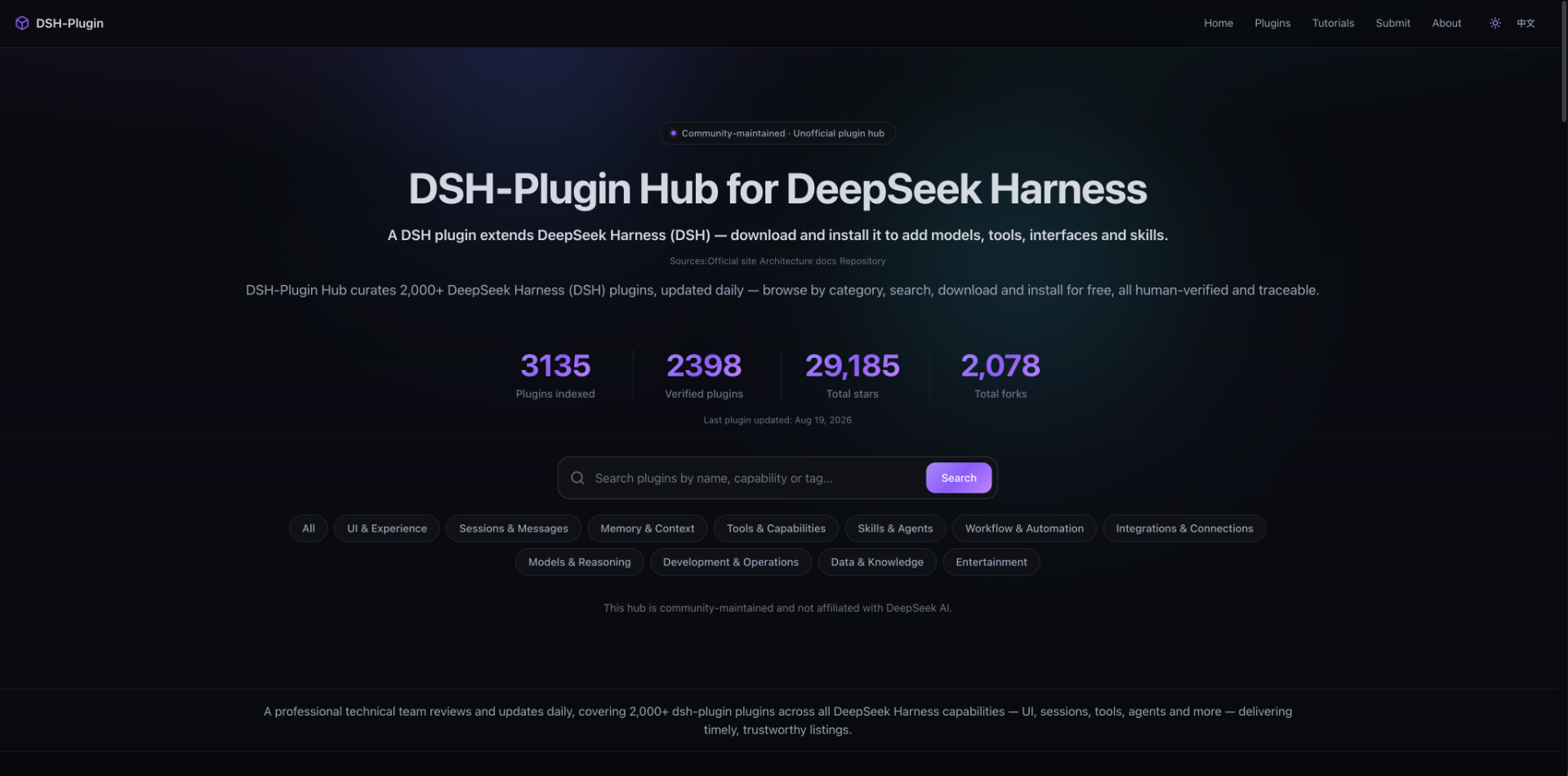
3,000+ plugins indexed, updated daily
DSH-Plugin Hub currently indexes 3,000+ DSH plugins and keeps them updated daily. The scale ranks among the top for plugin hubs of its kind, and it doesn't just index once and leave it alone:
- Kept up to date: new DSH plugins are listed promptly, and existing entries have descriptions, categories and compatibility status refreshed regularly;
- Human-reviewed: every plugin is checked by a professional technical team for install command, compatibility status and DSH target version;
- Traceable: every plugin links back to its GitHub source repository, so everything you see can be verified.
How the 11 categories work
https://dsh-plugin.org/plugins
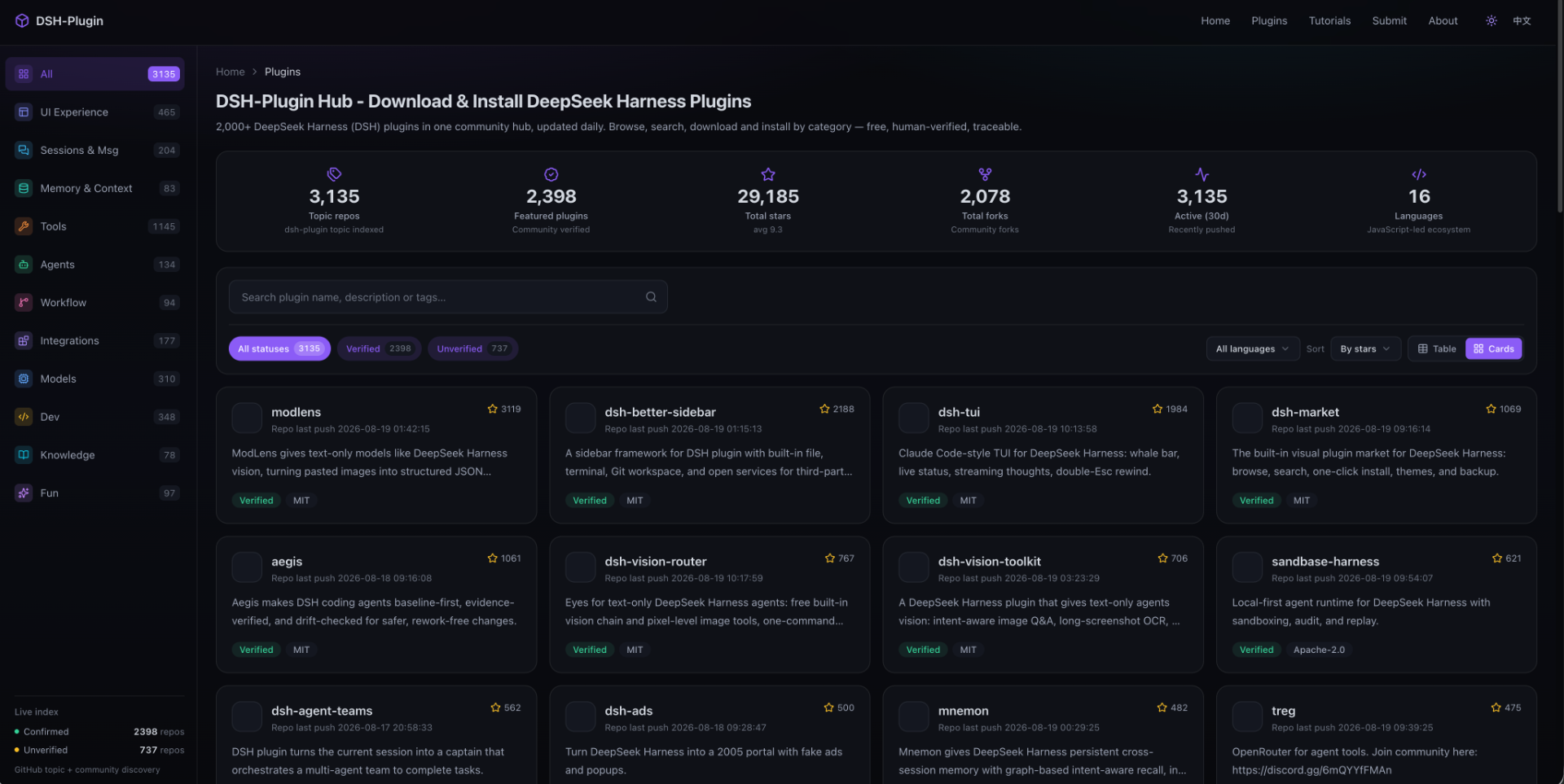
DSH's taxonomy has 11 top-level categories spanning the full agent stack, from interface to model to entertainment. Whatever capability you want to add, there's a category for it:
| Category | What it does |
|---|---|
| UI & Experience | Themes, UI customization |
| Sessions & Messages | Session management, message handling |
| Memory & Context | Context compression, long-term memory |
| Tools & Capabilities | File processing, web scraping, vision and other single-action plugins |
| Skills & Agents | Skill directories, sub-agent orchestration, full workflows |
| Workflow & Automation | Process orchestration, scheduled tasks |
| Integrations & Connections | Protocol bridging, third-party service integration |
| Models & Reasoning | Model adapters, cost control |
| Dev & Ops | Scaffolding, debugging, security scanning for plugin producers |
| Data & Knowledge | Knowledge retrieval, data processing |
| Entertainment | Games, fun utilities |
The most-used ones are Tools & Capabilities (home of single-action plugins like the ModLens vision plugin), Skills & Agents (orchestrating actions into professional workflows) and Models & Reasoning (swapping models like swapping plugins).
How to use this hub to install plugins
No registration needed: browse by category or search, open a detail page to check compatibility, then copy the command to install. Installation goes through DSH's built-in CLI — no manual cloning. The general form is dsh plugin add <repository>:
dsh plugin add github:liustack/modlens
Then enable it in the plugin list. Before installing, check two fields: compatibility status (verified means confirmed usable, unconfirmed means not yet verified) and dshTarget (the DSH interface version the plugin depends on — a mismatch means it won't work).
Notes
- DSH-Plugin Hub is an unofficial, community-maintained plugin center with no affiliation to DeepSeek AI; accuracy should be checked against the GitHub source.
- DSH is in developer preview and ships breaking changes — confirm a plugin's dshTarget before upgrading DSH.
- Prefer
verifiedplugins with a matching dshTarget; skill and agent plugins depend on DSH's agent interface, so check compatibility before installing. - The hub's data comes from the DeepSeek Harness official site, architecture docs and GitHub repositories (source); key details can be double-checked at the source.